
Multi time zone calendar for iPhone and Mac
One calendar.
Every time zone you live in.
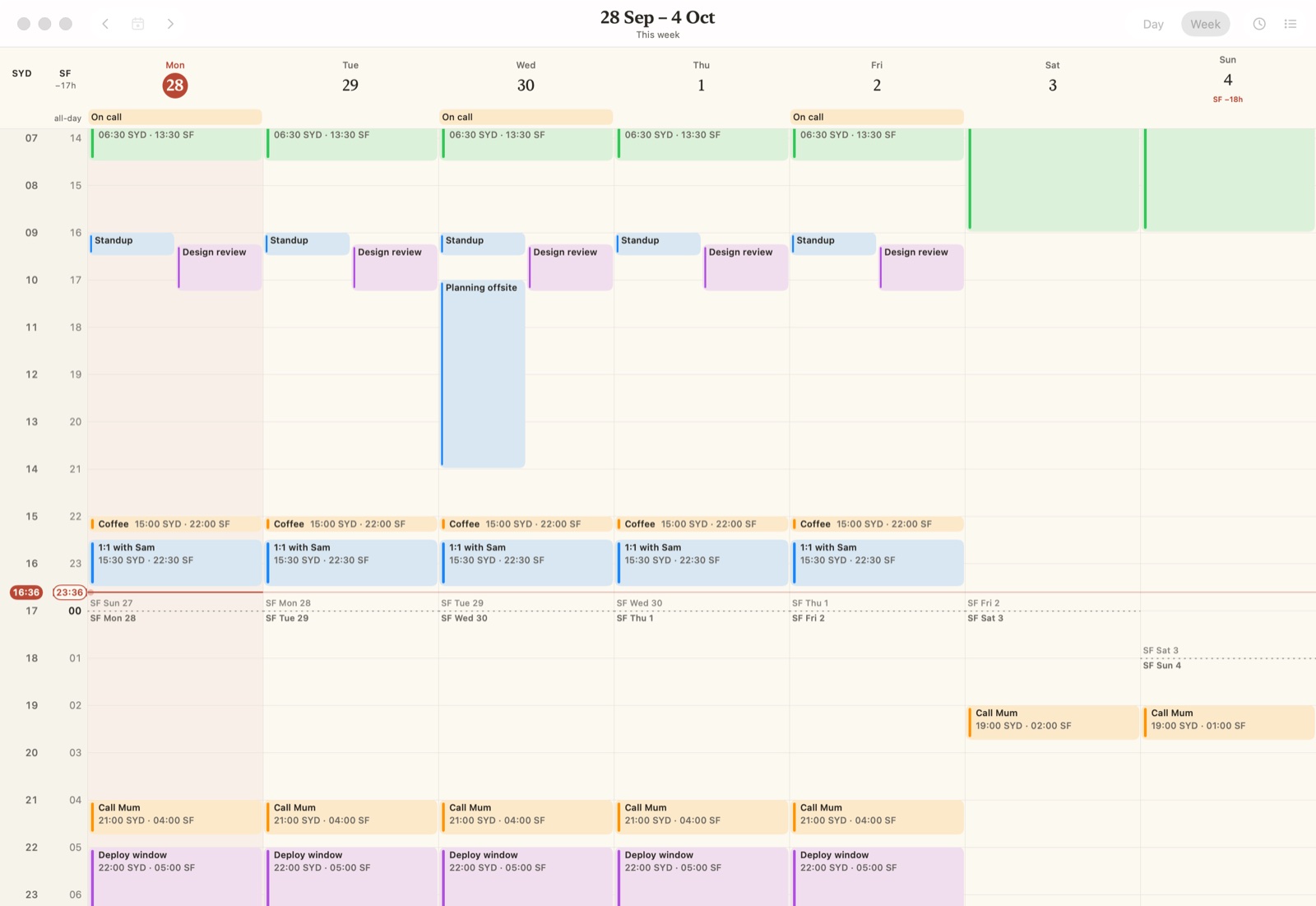
Huy Cal shows your Apple Calendar as a timeline with a clock column for each city in your life. Every meeting, here and there, at a glance. No mental maths, even on the day the clocks change.
For remote teams, family overseas, and lives split across cities.

Why you need it
Time zones are easy.
Until the day they aren't.
No more converting
Every invite means working out the time here, then there, then checking again. Huy Cal writes each meeting in every city, so there is nothing to work out.
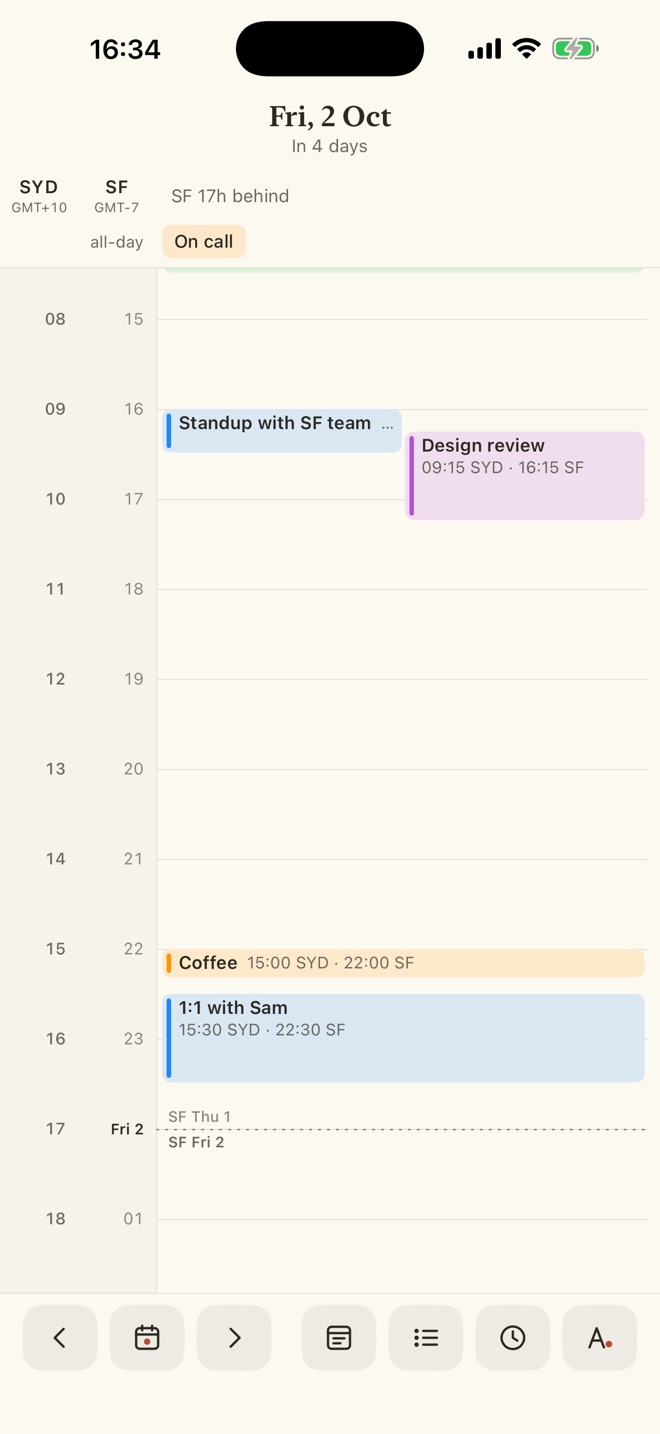
Standup with SF team
09:00 SYD Fri · 16:00 SF Thu · 19:00 NY Thu
The gap moves
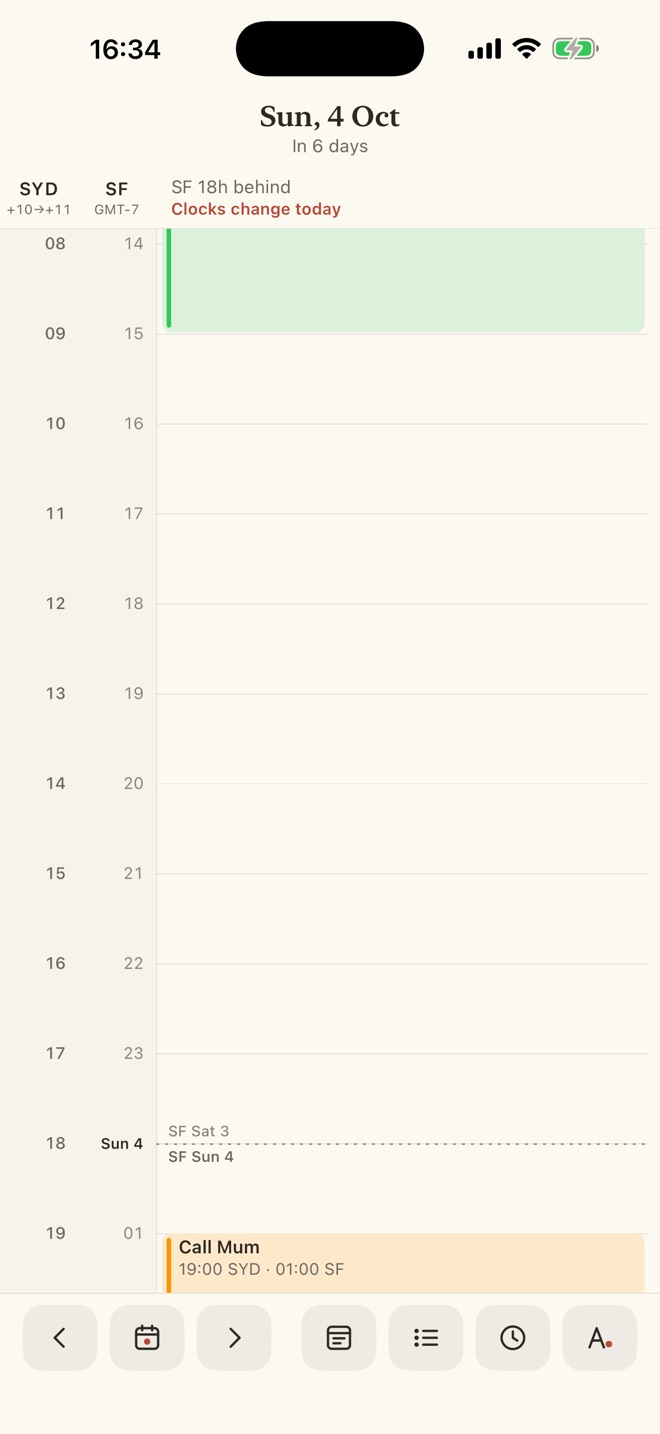
Sydney and San Francisco are 17, 18 or 19 hours apart, depending on the Sunday. The gap you know by heart changes four times a year. Huy Cal is right every day, and tells you when it changes.
Hours Sydney is ahead of San Francisco, across 2026.
Their day isn't yours
Friday morning in Sydney is still Thursday in San Francisco. A dashed line shows where their day ends, so their Thursday doesn't hide inside your Friday.
How it works
1. Pick your cities
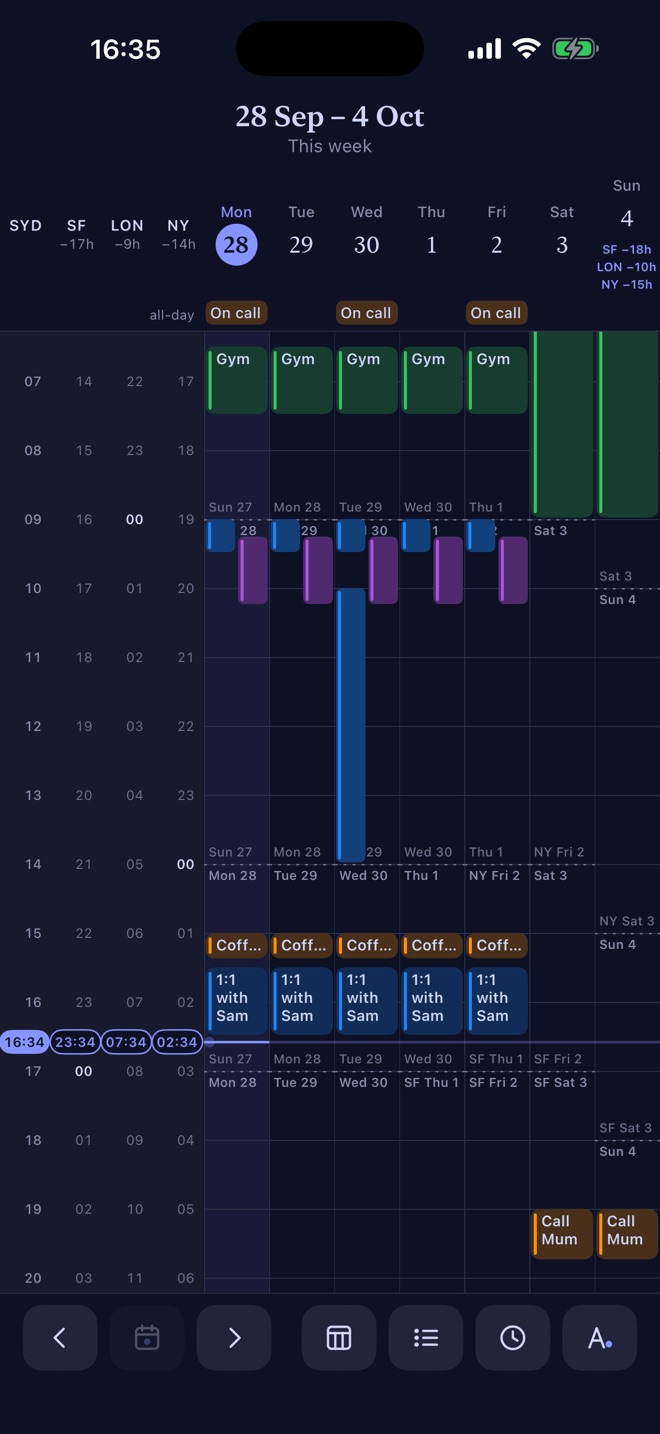
Up to four time zones. The first one is home. Search any city, from San Francisco to London.
2. Your calendars appear
iCloud, Google, Exchange, subscribed: whatever is already on your device. Nothing to sign in to.
3. Swipe through your days
Every hour is labelled in every city, side by side. Tap an event to see its time everywhere.
On your Mac, too
The same timeline in a window next to your work.
Download for MacVersion 1.0 · 2.4 MB · macOS 26 or later · Apple silicon and Intel
Small details, done carefully
Daylight saving, handled
Days that are 23 or 25 hours long are drawn as they are. When any of your cities changes its clocks, a quiet note says "Clocks change today", and the gap updates by itself.
See where their day ends
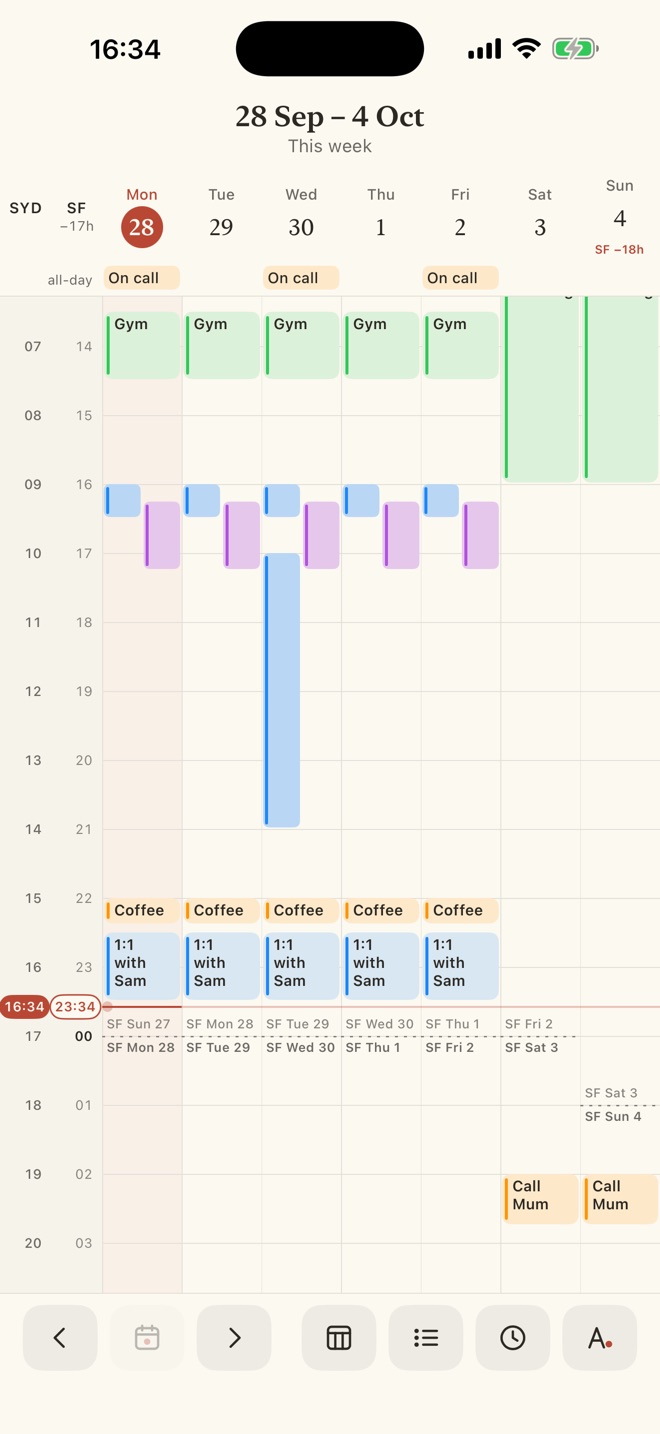
Where another city's date changes, a dashed line marks its midnight, with the day that ends above and the day that starts below. San Francisco's Thursday never hides inside your Friday.
Every meeting, in every city
Each event shows its start in each of your cities, like "09:00 SYD · 16:00 SF". Tap it for the full times everywhere, with dates when they differ.
A week that lines up
Rows follow your home clock, like Apple Calendar, with each other city in its own gutter. Days with a different gap get a small badge.
Every calendar you have
Work, family, holidays, shared and subscribed calendars. Hide the ones you do not need, per device.
Calm to look at
Paper, ink and one accent colour. Twelve themes, from Paper and Sepia to Midnight and Matcha, in light and dark.
Private by design
Calendar content stays on your device. Newer iOS Ad Hoc builds use basic product analytics, without uploading your events. See the privacy policy for build-specific details.
At home on the Mac
A real Mac app: trackpad swipes, ⌘1 and ⌘2 for day and week, ⌘T for today, and settings in ⌘,.
Stop doing time zone maths.
Let the calendar do it.
iPhone with iOS 18 or later. Mac with macOS 26 or later.